
 Photoshop
 Maya
 ZBrush
 Houdini
 Substance Painter
 Blender
 Nuke
 Arnold
 KeyShot
 V-Ray
 Substance Designer
 Mari
 Marvelous Designer
 Marmoset Toolbag
 3ds Max
 3DCoat
 Redshift
 After Effects
 Faceform Wrap
 Lightroom
 OctaneRender
 SpeedTree
 Daz 3D
 Agisoft Metashape
 Fusion
 Modo
 RealityCapture
 Gaea
 Cinema 4D
 Gravity Sketch
 Premiere
 Procreate
 Substance 3D Modeler
 SketchUp
 SketchBook
 Quixel DDO
 Katana
 Krita
 Natron
 Quixel Bridge
 Quixel Megascans
 Quixel Mixer
 Mudbox
 World Creator
 Yeti
 Ziva VFX
 Mixamo
 Adobe Medium
 SynthEyes
 Clip Studio Paint
 Unity
 Gaffer
 xNormal
 TreeIt
 Meshmixer
 Massive
 Materialize
 DaVinci Resolve
 Ornatrix
 PreForm
 Corel Painter
 Moi 3D
 QuickTime
 World Machine
 animBot
 ReCap
 Storyboard Pro






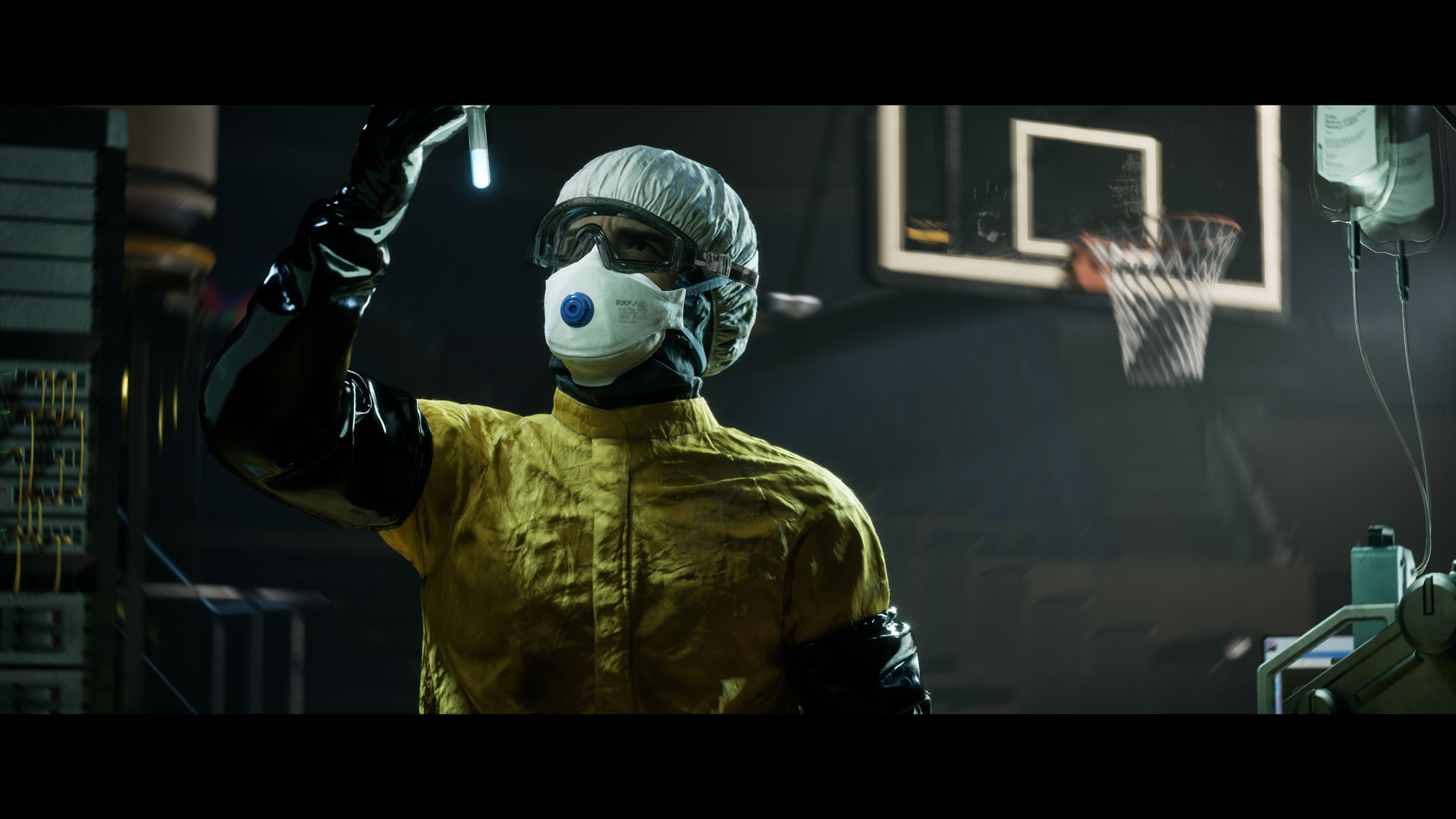


This introductory workshop takes artists through the essential tools and workflows of Unreal Engine 5, from opening the engine for the first time to building and rendering a finished cinematic scene. It’s designed for beginners looking to build a solid foundation, as well as experienced artists who want to expand their skills, explore specific tools, or use the workshop as a practical reference.
Instructor Eric Roin starts with the fundamentals: navigating the interface, organizing projects, working with assets, and building environments using Unreal Engine’s modeling and scene assembly tools. From there, Eric moves into materials and shading, covering the Material Editor, master materials, material instances, reusable material functions, Nanite displacement, and Substrate. These techniques provide a flexible approach to creating and managing materials across different project types.
From there, Eric explores animation and cinematography using Sequencer. Artists will learn how to animate objects and characters, work with Cine Camera Actors, control depth of field, and create cinematic camera movements. Eric also introduces MetaHumans and virtual camera workflows, showing how these tools fit into real-time cinematic production.
Lighting is another major focus of the workshop. Eric covers Unreal Engine’s lighting tools, physically based lighting principles, Lumen, exposure, and practical techniques for creating believable environments. Eric then discusses post-process settings and color grading to refine the final look of a scene.
To conclude the workshop, Eric brings everything together in a demonstration scene, covering asset selection, scene assembly, lighting, animation, and rendering with Movie Render Queue and Movie Render Graph.
By completing this workshop, artists will understand how the different parts of Unreal Engine connect and have the knowledge to build, animate, light, and render their own projects. Whether you’re creating environments, cinematics, game trailers, commercials, or virtual production content, the goal is to give you a practical workflow you can continue building on.
Throughout this 8-hour workshop, Eric shares techniques and production insights from working with Unreal Engine in film, television, and games, including approaches to scene organization, efficient iteration, and common production challenges.
26 Lessons
Eric Roin begins by installing Unreal Engine 5 through the Epic Games Launcher and helps artists get familiar with the Editor. This first lesson introduces the main interface, viewport navigation, essential panels, and basic controls needed to work comfortably in Unreal. By the end, viewers should understand how to navigate the engine and begin exploring their own projects.
Duration: 8m 7s

With the editor set up, Eric shows how to create the first level and explore how Unreal Engine organizes a scene. Eric covers the basic level-creation process, working with the viewport, and adding objects to our environment. This lesson establishes the foundation for building and organizing scenes that Eric will continue developing throughout this workshop.
Duration: 12m 45s

This lesson focuses on manipulating objects inside the Unreal Engine viewport. Eric explores translation, rotation, scaling, snapping, and the different coordinate systems used to position assets accurately. Artists will learn how to select, duplicate, and arrange objects efficiently while developing a practical understanding of the tools used for everyday scene layout and environment creation.
Duration: 11m 21s

In this lesson, Eric explores Unreal Engine’s built-in Modeling Mode and shows how it can be used to create and modify geometry directly in the Editor. This lesson introduces essential modeling operations, mesh editing, and practical techniques for blocking out environments. Artists will see how Unreal’s modeling tools can speed up scene development without constantly switching between external 3D applications.
Duration: 23m 46s

In this lesson, Eric introduces a playable character into the level and shows how to navigate environments from a player’s perspective. This lesson covers the basic setup needed to move through a scene, test scale, and evaluate spatial relationships. Artists will learn how interactive navigation can help identify layout issues and improve the overall experience of an environment.
Duration: 10m 29s

In this lesson, Eric introduces Unreal Engine’s material system and discusses the fundamentals of creating shaders using the Material Editor. This lesson covers essential material properties, node-based workflows, and how different inputs affect the appearance of surfaces. Artists will develop an understanding of physically based materials and learn how to begin creating their own shaders for a variety of assets.
Duration: 23m 43s

Building on the material fundamentals, Eric shows how to create a flexible master material designed for use across multiple assets. Eric explores material parameters, texture inputs, and material instances to establish a more efficient shading workflow. This lesson shows how a well-organized master material can simplify look development, improve consistency, and speed up large-scale scene adjustments.
Duration: 32m 24s

In this lesson, Eric expands the master material by introducing Material Functions, allowing artists to organize complex shading operations into reusable components. This lesson explores how functions can simplify material graphs and provide additional flexibility when developing shaders. Artists will learn how modular material construction helps maintain cleaner workflows while making advanced shading features easier to manage and reuse.
Duration: 20m 32s

With the material system established, Eric puts it to work across different assets and surfaces. This lesson focuses on evaluating how shaders respond to different geometry, textures, and lighting conditions. Eric examines the practical benefits of using material instances and shows how a flexible shading system can speed up iteration during environment development.
Duration: 10m 40s

In this lesson, Eric explores Nanite displacement and how it can add geometric detail to surfaces in Unreal Engine. This lesson examines the relationship between displacement textures, material settings, and Nanite-enabled meshes. Artists will learn how to create more detailed surfaces while understanding the practical considerations of using displacement in high-quality environments and cinematics.
Duration: 24m 27s

This lesson introduces Substrate, Unreal Engine’s advanced material framework for creating more sophisticated surface responses. Eric explores how it defines material properties and combines different types of surface behavior. Artists will gain an understanding of how Substrate differs from traditional material workflows and where it can offer greater flexibility for advanced look development.
Duration: 11m 28s

In this lesson, Eric introduces Sequencer, Unreal Engine’s timeline-based tool for creating animations and cinematic sequences. This lesson covers the fundamentals of creating a Level Sequence, adding objects, setting keyframes, and controlling animation over time. Artists will learn how to animate scene elements directly inside Unreal and begin building the foundation for more complex cinematic work.
Duration: 17m 7s

In this lesson, Eric explores Unreal Engine’s Cine Camera Actor and the essential controls for creating cinematic shots. This lesson introduces focal length, aperture, depth of field, and camera composition, and examines how these settings influence the final image. Artists will learn how to approach virtual cameras using familiar principles from real-world cinematography and filmmaking.
Duration: 13m 27s

In this lesson, Eric brings character animation into our cinematic workflow and explores how to integrate animated characters into Sequencer. This lesson focuses on working with animation assets, arranging performances on the timeline, and coordinating character movement with the surrounding scene. Artists will learn how to incorporate animated characters into cinematic sequences and develop more engaging visual storytelling.
Duration: 25m 17s

Building on the introduction to cinematic cameras, Eric explores more advanced techniques for controlling camera movement and refining shots inside Sequencer. This lesson examines camera animation, timing, transitions, and techniques for achieving smoother, more intentional movement. Artists will gain greater control over virtual cinematography and learn to create more polished, visually compelling sequences.
Duration: 23m 51s

In this lesson, Eric introduces MetaHumans and explores how to incorporate realistic digital characters into Unreal Engine projects. This lesson covers the general workflow for working with MetaHuman assets, understanding their components, and integrating them into a scene. Artists will gain practical insight into using high-quality digital humans for cinematic storytelling, virtual production, and real-time visualization.
Duration: 44m 56s

This comprehensive lesson explores the fundamentals of lighting inside Unreal Engine, from basic light types to practical scene illumination. Eric examines how light intensity, color, direction, and source size shape an environment's appearance. Artists will learn essential lighting principles and how to apply them to create depth, establish mood, and guide the viewer’s attention.
Duration: 53m 40s

In this lesson, Eric takes the lighting workflow further by exploring physically based lighting techniques and their application in Unreal Engine. This lesson focuses on creating more believable lighting by understanding exposure, light behavior, and the relationship between illumination and materials. Artists will learn how to approach lighting with greater technical accuracy while maintaining creative control over the final image.
Duration: 32m 56s

In this lesson, Eric explores Unreal Engine’s color grading tools and how to use them to refine a scene's final appearance. This lesson introduces adjustments to contrast, saturation, color balance, and overall image tone using post-process controls. Artists will learn how to establish a consistent visual style and enhance the mood of their environments and cinematic shots.
Duration: 12m 25s

With scenes and cinematics ready, Eric explores the rendering process in Unreal Engine. This lesson introduces Movie Render Queue and the settings used to produce high-quality image sequences and cinematic output. Artists will learn how to prepare shots for rendering, understand important quality controls, and export their work for further use in production pipelines.
Duration: 41m 2s

In this lesson, Eric begins preparing assets for the final demonstration by installing and enabling the KitBash3D plugin inside Unreal Engine. This lesson walks through the basic setup process and introduces how the plugin connects to an asset workflow. Artists will learn how to access additional environment assets and prepare them for use in their own scenes.
Duration: 3m 34s

In this lesson, Eric begins assembling the assets needed for the final demonstration scene. This lesson focuses on gathering, selecting, and organizing environment assets that support the project's visual direction. Artists will see how asset selection contributes to composition, storytelling, and production efficiency while preparing the elements needed for the next stages of scene development.
Duration: 9m 56s

With assets assembled, Eric begins bringing the final demonstration scene to life through an initial lighting and animation pass. This lesson focuses on establishing the overall mood, defining the visual direction, and introducing movement into the sequence. Artists will see how early creative decisions help shape a scene before moving into more detailed refinement.
Duration: 14m 45s

In this lesson, Eric introduces Unreal Engine’s Virtual Camera workflow and explores how it can control cinematic cameras through a more physical, interactive approach. This lesson covers the basic VCam setup and how to integrate it into the scene. Artists will learn how virtual camera tools can support more natural camera movement and a filmmaking-oriented approach to shot creation.
Duration: 9m 1s

Eric concludes the workshop by exploring Movie Render Graph, Unreal Engine’s node-based rendering workflow. This lesson introduces how a graph-based system can organize and control rendering configurations. Artists will learn how Movie Render Graph supports more flexible rendering workflows and how to use it to produce the final output of the demonstration scene.
Duration: 11m 12s

Eric closes the workshop with final words and invites artists to follow him on LinkedIn and Discord and share the work they create.
Duration: 1m 45s

Primary tools
For this workshop you’ll need:

* Note that these programs and materials will not be supplied with the course.
Skills Covered
Who’s this Workshop for?
Beginners will learn how to navigate the engine, manage projects, and work with its core features. More experienced users can jump into individual chapters covering materials, lighting, animation, Sequencer, rendering, and other production techniques.
By the end of the workshop, you’ll understand how the main tools work together and how to apply them to your own projects, from building environments and setting up lighting to animation and final rendering. The focus is on practical techniques and workflows that can be applied across different industries and types of production.
Learning Outcomes
By completing this workshop, artists will understand the core essential tools and workflows that game artists use professionally in Unreal Engine 5.
Key skills include:
- Understanding Unreal Engine 5 fundamentals, including project setup, editor navigation, essential tools, and viewport controls.•
- Mastering essential shortcuts, object manipulation, and efficient workflows for navigating and organizing complex Unreal Engine scenes.
- Building and assembling detailed environments using Unreal Engine’s modeling tools, imported assets, and scene layout techniques.
- Creating flexible master materials using parameters, material functions, Nanite displacement, and advanced Substrate shading workflows.
- Animating objects and characters using Sequencer, keyframes, animation assets, and timeline-based cinematic production techniques.
- Creating cinematic camera movements using virtual lenses, depth of field, advanced camera controls, and VCam.
- Integrating MetaHuman characters into Unreal Engine environments and preparing them for use in cinematic sequences.
- Developing cinematic lighting using physically based lighting principles, light controls, exposure, and creative lighting techniques.
- Refining the final visual appearance of scenes using post-process effects, color grading, and image adjustments.
- Rendering high-quality cinematic sequences using Movie Render Queue and Movie Render Graph for professional production workflows.


